
Choose the Right Device for Your Screens
Roomcaster works with affordable streaming devices you can buy today — and many smart TVs you already own. No proprietary hardware, no expensive media players.
Our Recommendations
Not sure where to start? Here are our top picks.
Roku Streaming Stick 4K
$40
Plugs in, hides behind the TV, and just works. The go-to choice for most churches.
onn. Full HD Streaming Device
$15
The most affordable way to get Roomcaster on a screen. A tiny stick that hides behind your TV. Available only at Walmart.
Roku Ultra
$99 (often $79)
Rechargeable remote with a lost-remote finder — perfect for shared church spaces.
Roku vs Google TV
Both platforms work great with Roomcaster. Here's how they compare.
| Feature | Roku | Google TV |
|---|---|---|
| Starting price | $29 (Express HD) | $15 (Full HD stick) |
| Setup difficulty | Very easy | Very easy |
| UI experience | Clean, minimal ads | More ads in the home screen |
| Navigation | Simple and intuitive | More complex, app-store style |
| Account required | Roku account | Google account |
| Remote included | ||
| Control with phone app |
Both platforms work great — pick whichever fits your budget and preference.
Roku Devices
Roku is the most popular streaming platform in the US and our most battle-tested integration. Plug in the device, install the Roomcaster channel, and you're up and running.
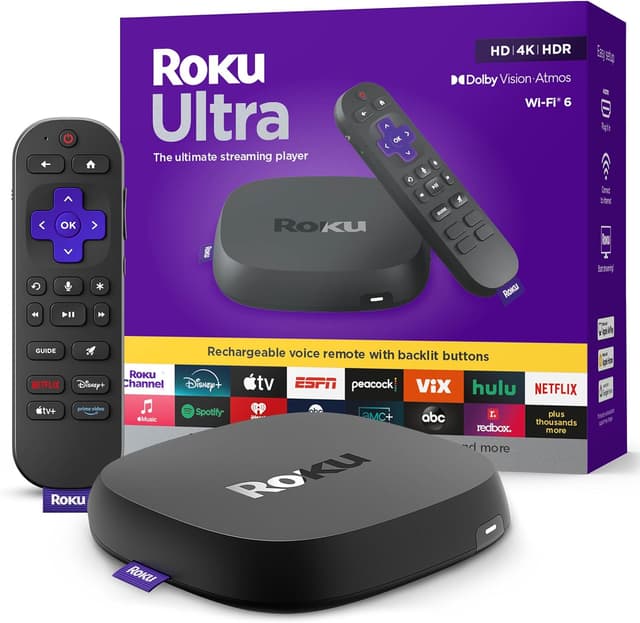
Roku Ultra
$99Mostly overkill for Roomcaster, but comes with a rechargeable remote that has a built-in lost-remote finder — a lifesaver in shared church spaces.
Mission-critical rooms — lobbies, sanctuary, welcome center. Anywhere reliability matters most. It's a luxury setup for a luxury room.
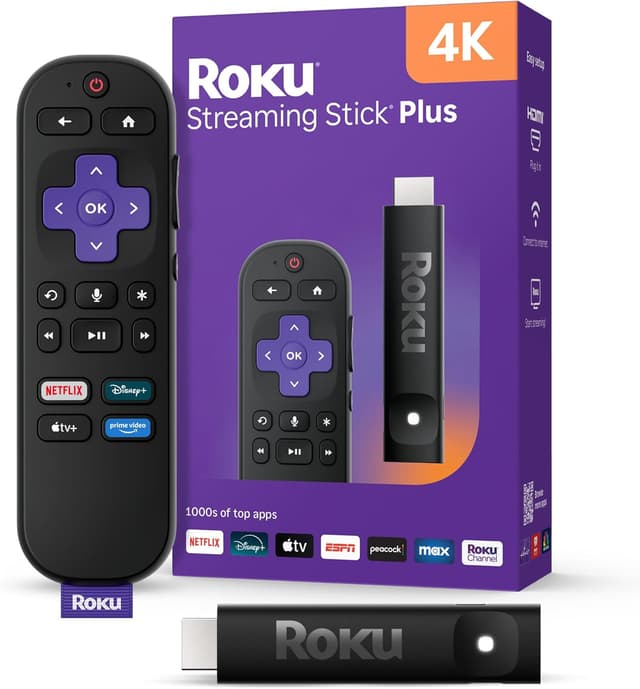
Roku Streaming Stick 4K
$39.99Plugs right into your TV's HDMI port and hides behind the screen. Clean installation with nothing visible. We built Roomcaster working with this device.
Everything, really — our most battle-tested integration. You'll need AAA batteries for the remote, but you can use the Roku app on your phone to control it.
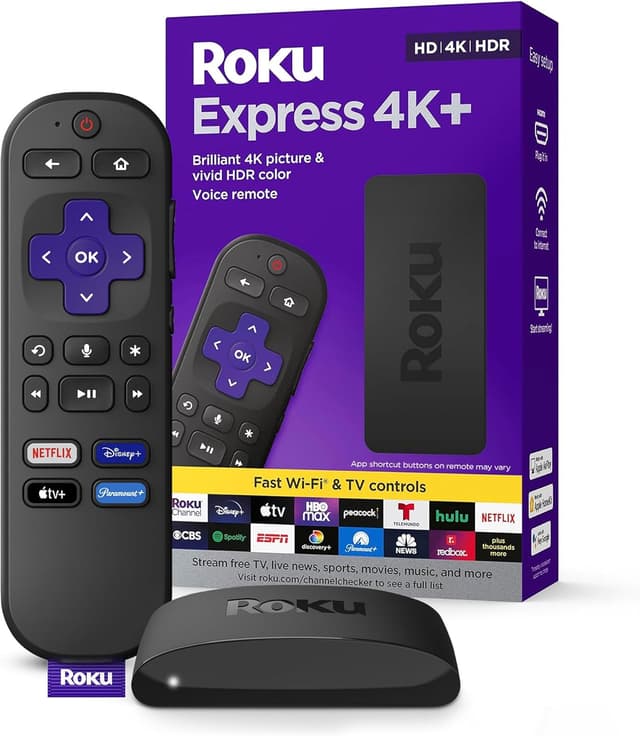
Roku Express HD
$29.99The most affordable Roku option. Works great, but you have to mount it and run an HDMI cable to the TV.
Buying in bulk and wanting to save $10 per device. Grab a roll of Velcro, a bulk supply of AAA batteries, and you're good to go.
Google TV Devices
Google TV devices from Walmart's onn. lineup offer incredible value — Roomcaster running on a brand new device for as little as $15. Both Roku and Google TV work great with Roomcaster, so pick whichever fits your budget.
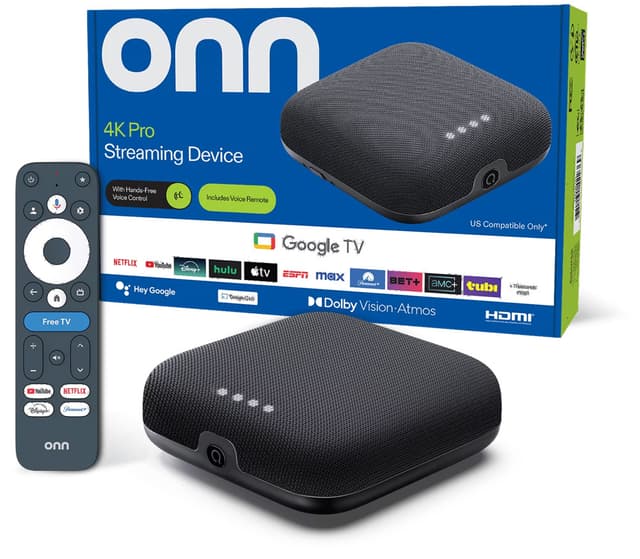
onn. Google TV 4K Pro
$44.73The best value streaming device on the market. A complete streaming setup for under $50.
Best value for any room, especially multi-room setups.
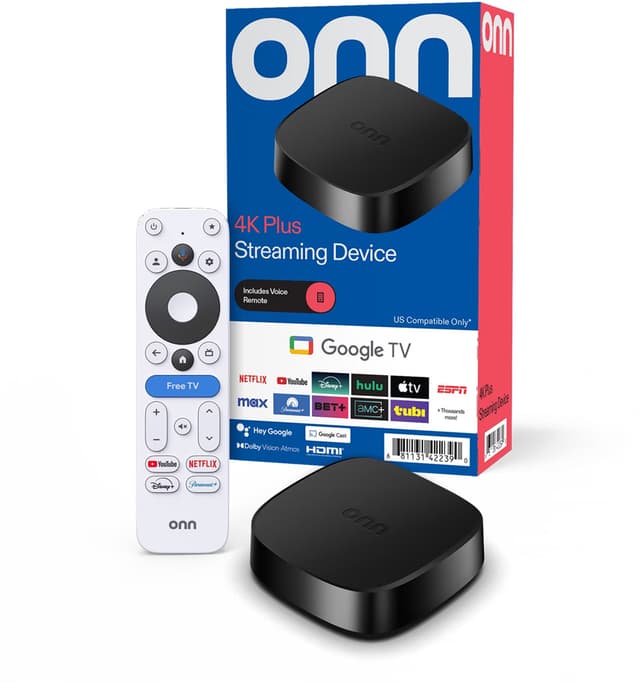
onn. Google TV 4K Plus
$29.884K streaming for just $30. Compact puck design stays out of the way.
Budget rooms. A great entry point for getting Roomcaster on more screens.
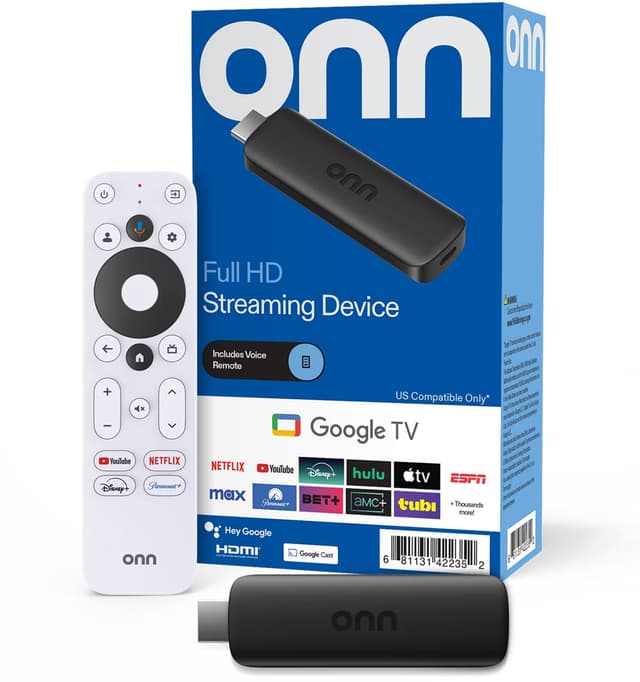
onn. Full HD Streaming Device
$14.88The cheapest way to get Roomcaster on a screen. A tiny stick that hides behind your TV and handles our content without issues.
Secondary rooms, hallways, and budget setups.
Your TV Might Already Be Ready
Many Smart TVs ship with Roku or Google TV built in — no extra device needed. If you're buying new TVs, look for one of these brands and you're good to go.
| TV Brand | Roku Built-in | Google TV Built-in |
|---|---|---|
| Hisense | ||
| LG | ||
| onn. | ||
| Philips | ||
| Samsung | ||
| Sharp | ||
| Sony | ||
| TCL | ||
| Vizio |
Roku and Google TV devices and Smart TVs are available at the following retailers:







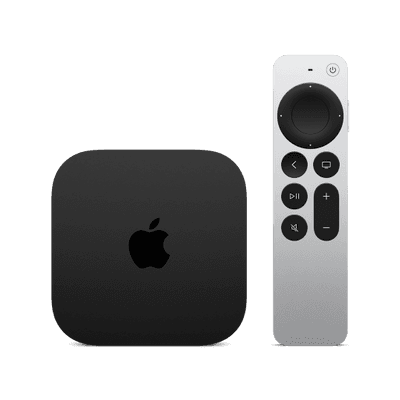
Apple TV
This is totally overkill for Roomcaster, but we recognize some churches will have already purchased these. We're actively working on an Apple TV app to help you migrate with the hardware you already own.
That said, at $129–149 per device, we don't recommend buying Apple TVs specifically for Roomcaster — you can get three Roku sticks for less than the cost of an Apple TV.
Apple TV is also a heavier device and may require more than just Velcro to mount it. We would recommend a mounting bracket (~$15 on Amazon) or running an HDMI cable through the wall to hide the cable.
Buying Tips
Practical advice from setting up hundreds of rooms.
WiFi Works Great
Roomcaster uses minimal bandwidth — a standard internet connection easily powers multiple screens. Just make sure your WiFi reaches each TV location.
Check Your TVs First
Many newer TVs already have Roku or Google TV built in. Check the model number — you might be ready to go without buying anything extra.
Avoid OLED for always-on content
Content like logos that stay on the screen for long periods can cause permanent burn-in on OLED panels. Stick with LED, QLED, or Mini LED for content that stays on screen for long periods.
Frequently asked questions
Common questions about choosing and setting up streaming devices for Roomcaster.
Yes — each TV needs its own streaming device (or has one built in). The good news is they're cheap: a Roku stick is $40 and an onn. 4K Plus is $30. Even outfitting 10 rooms costs less than a single commercial media player.
Absolutely. Each device connects independently to your Roomcaster account. You can use Roku in some rooms and Google TV in others — they all show up in the same dashboard.
Each screen uses about 5–10 Mbps. A standard 100 Mbps connection handles 10+ Roomcaster screens easily. WiFi works great for our use case — just make sure your signal reaches each TV location.
Yes. Roomcaster streams content from the cloud, so devices need a reliable internet connection. If a device temporarily loses connectivity, it will reconnect and resume playback automatically.
Yes! If you already have Roku or Google TV devices, just install the Roomcaster app from the channel/app store. Check your TV too — many TCL, Hisense, and Roku-branded TVs have Roku or Google TV built in.
We don't currently support Fire TV. We recommend Google TV devices if you want the Android ecosystem — the onn. 4K Pro at under $50 is a better value than most Fire TV devices anyway.
Streaming sticks plug directly into the TV's HDMI port and hide behind it. For set-top boxes like the Roku Ultra or onn. 4K Pro, you can place them on a shelf behind the TV, use adhesive Velcro strips to mount them to the back of the TV, or run a short HDMI cable from a nearby shelf.
Amazon, Walmart, and Best Buy all carry Roku devices. onn. devices (Google TV) are Walmart exclusives. We recommend checking all three for the best price — Roku Ultras frequently go on sale for $79 instead of $99. For bulk purchases (10+ devices), Walmart and Amazon often offer quantity discounts.
Ready to get content on your screens?
Pick up a $30 streaming device, create your free Roomcaster account, and have your first room running in under 5 minutes.
Start for FreeNo credit card required. Free plan includes 1 screen.